Master Your Media
Complete guide to setting up your EaseFy ecosystem.
Android TV Quick Install
The fastest way to install EaseFy Player is via the Downloader app by AFTVnews. You can find it by searching "Downloader" in the Google Play Store or Amazon AppStore.
Think of EaseFy Core as your personal engine. You install it on your computer to organize your media, which then flows wirelessly to the EaseFy Player on your TV or mobile.
Phase 1: Setting up EaseFy Core
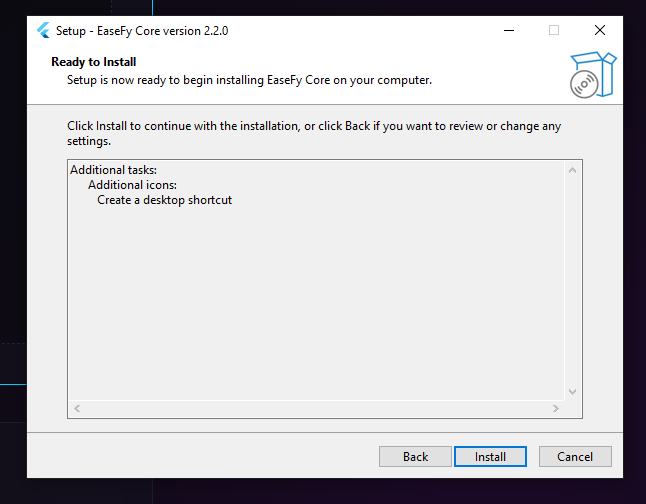
Install Core
EaseFy Core is the "Brain" of your system. Install the version for your platform (**Windows, Mac, or Linux**) or deploy it as a **Docker container**. Once running, it handles all heavy processing and serves your media across the network.
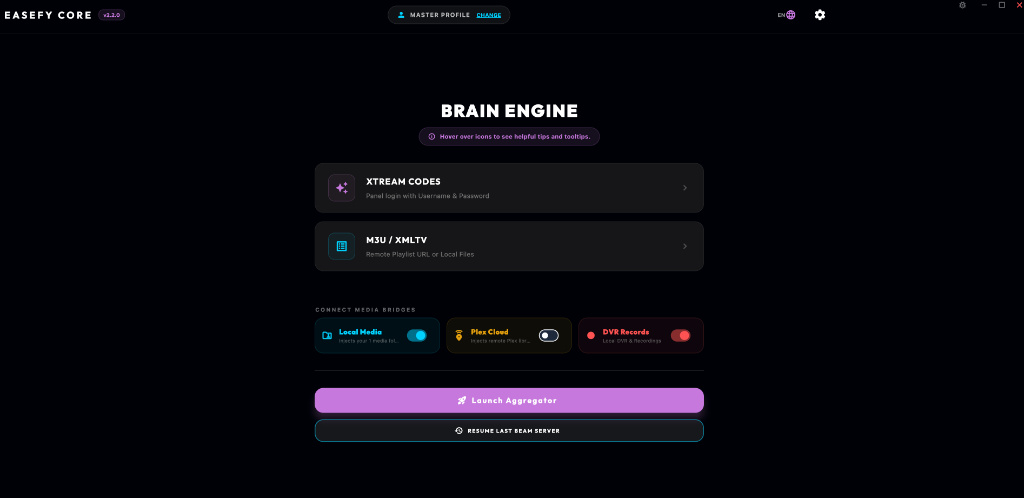
Add Your Playlists
Open the Core dashboard and select your media source, like Xtream Codes or M3U. Once you're ready, launch the indexing process to bring all your content into one centralized, fast-acting system.
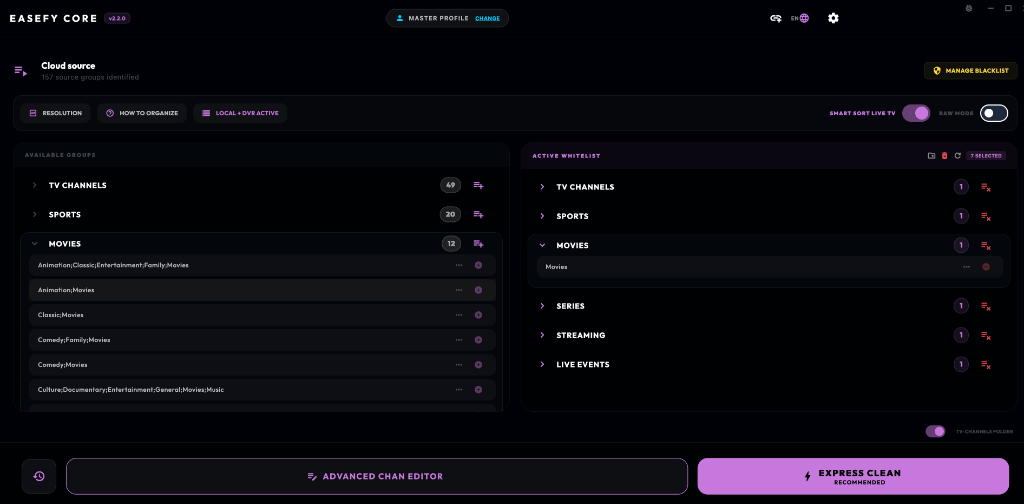
The Magic Clean
You are in control. Choose exactly which groups you want to keep, and hide everything you don't need. When you're ready, click "Express Clean" to start watching instantly, or hit "Advanced" for even more customization.
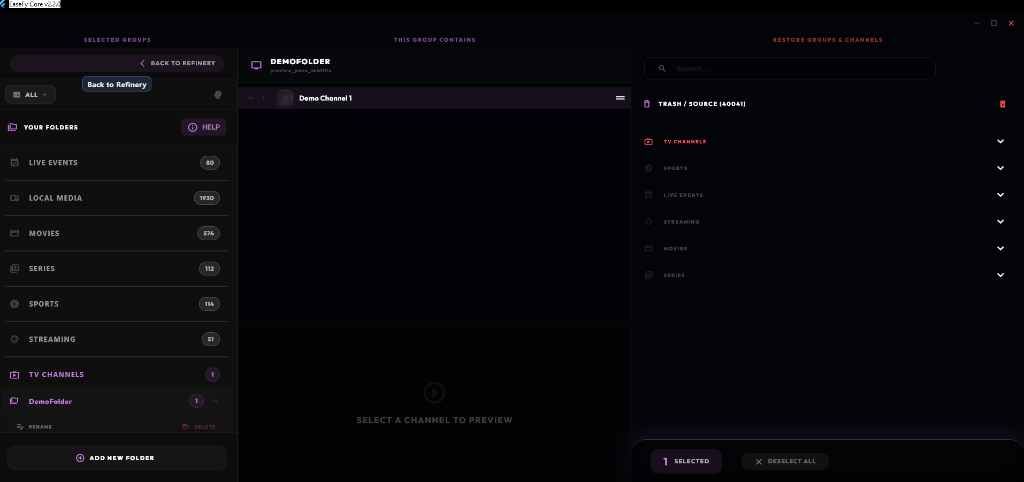
Advanced Channel Editor
Want total control? After the Magic Clean, use the built-in menus to easily create your own folders, move channels around and even restore deleted content from the Trash.
Phase 2: Connecting the Player
Select Your Device
Install the **EaseFy.TV Player** on your PC, Mac, or Linux device. Native support for Android TV, Apple TV, and mobile devices is in the works—check our [Platforms Overview](platforms.html) for the latest updates. **Important:** Your device must be on the same network as your Core server.
Auto-Discovery Login
The EaseFy.TV Player will automatically find your Core on the network. In seconds, your once-cluttered playlists are transformed into a premium, high-end streaming experience—no configuration required.
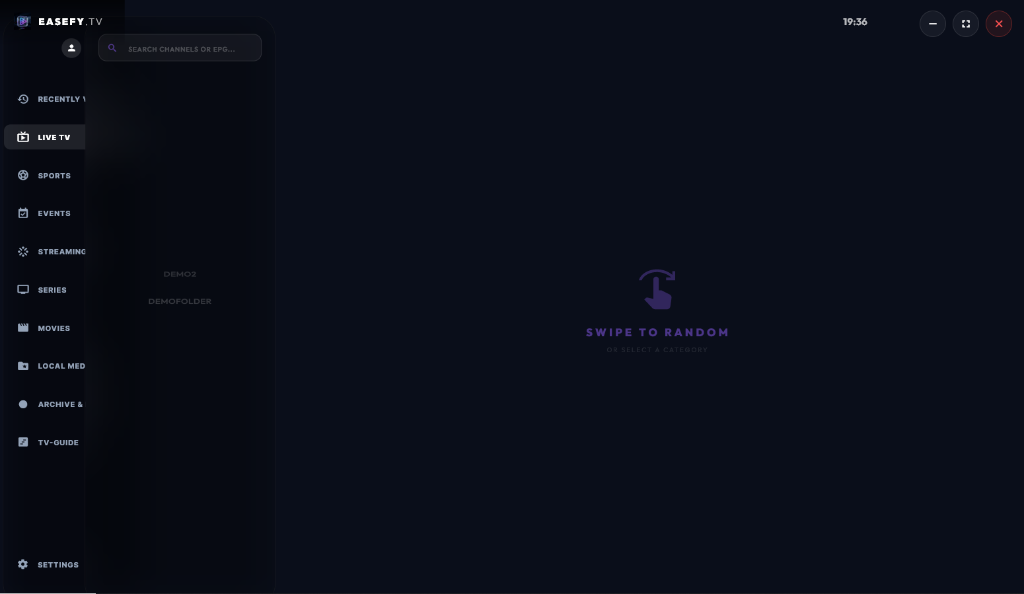
Phase 3: Advanced Features
Pro-Grade DVR & Series Capture
Never miss a show. Use the EPG to schedule single recordings or plan entire series with a single click. Core handles the capture automatically, saving everything to your local drive.
Universal Discovery & Local Hub
Search without limits. Use the universal search bar to find content across your entered media source, or browse your own local movie and series collections indexed by Core for easy network-wide access.
Catch-Up TV & Archive
If your media source supports it, EaseFy gives you full access to catch-up and archived content. Browse back in time and watch anything you might have missed directly from the source.
One-Click TV Guide Recording
Easily schedule recordings directly from the TV guide (EPG). For any channel with guide data, simply select the program and hit record – EaseFy handles the rest automatically.
Ready to start your journey?
Get EaseFy PRO